A thoughtful home office gift can make everyday work feel easier, whether the recipient is upgrading calls, organizing cables, or improving their desk setup.
These 10 gift ideas range from useful workstation accessories to audio and connectivity gear, with options for different work habits and budgets.
10 Home Office Tech Gift Ideas for Remote Workers
FIFINE T669 USB Studio Microphone Kit

- Plug-and-play USB connection for a PC or laptop.
- Includes a boom arm stand and double pop filter to help minimize popping sounds.
- The cardioid capsule captures audio from the front.
Best Gift For: A remote worker who records podcasts, voiceovers, or online meetings.

JLab Go Work Wireless Headset (1 Pack)

- Connects wirelessly or with the included cable.
- Dual microphones support calls by picking up voice and reducing surrounding sounds.
- Offers more than 45 hours of playtime on one charge.
Best Gift For: Someone who switches between laptop calls and mobile conversations.
Audioengine A2+ Wireless Computer Speakers – Red

- Stream wirelessly from phones, tablets, and computers, or connect through USB-C, RCA, or 3.5mm AUX inputs.
- The built-in 24-bit DAC connects to a computer through USB-C.
- Hand-finished real wood cabinets are part of the speaker design.
Best Gift For: A home worker who enjoys music, podcasts, or games at their desk.
HUANUO FlowLift Dual Monitor Desk Mount

- Fits screens from 13 to 32 inches when they meet the mount's other requirements.
- Arms support monitors weighing from 4.4 to 19.8 lbs each.
- Built-in cable management guides cords along the arms.
Best Gift For: A home worker with two compatible monitors and a suitable desk.
Nulaxy Pull-Out Height Adjustable Laptop Stand

- Compatible with laptops from 10 to 17 inches.
- The screen height adjusts from 1.2 to 20 inches.
- The stand folds for compact storage.
Best Gift For: A laptop user who wants to adjust screen height between seated and standing work.
Sleek Socket Flat Outlet Concealer with 3ft Cord
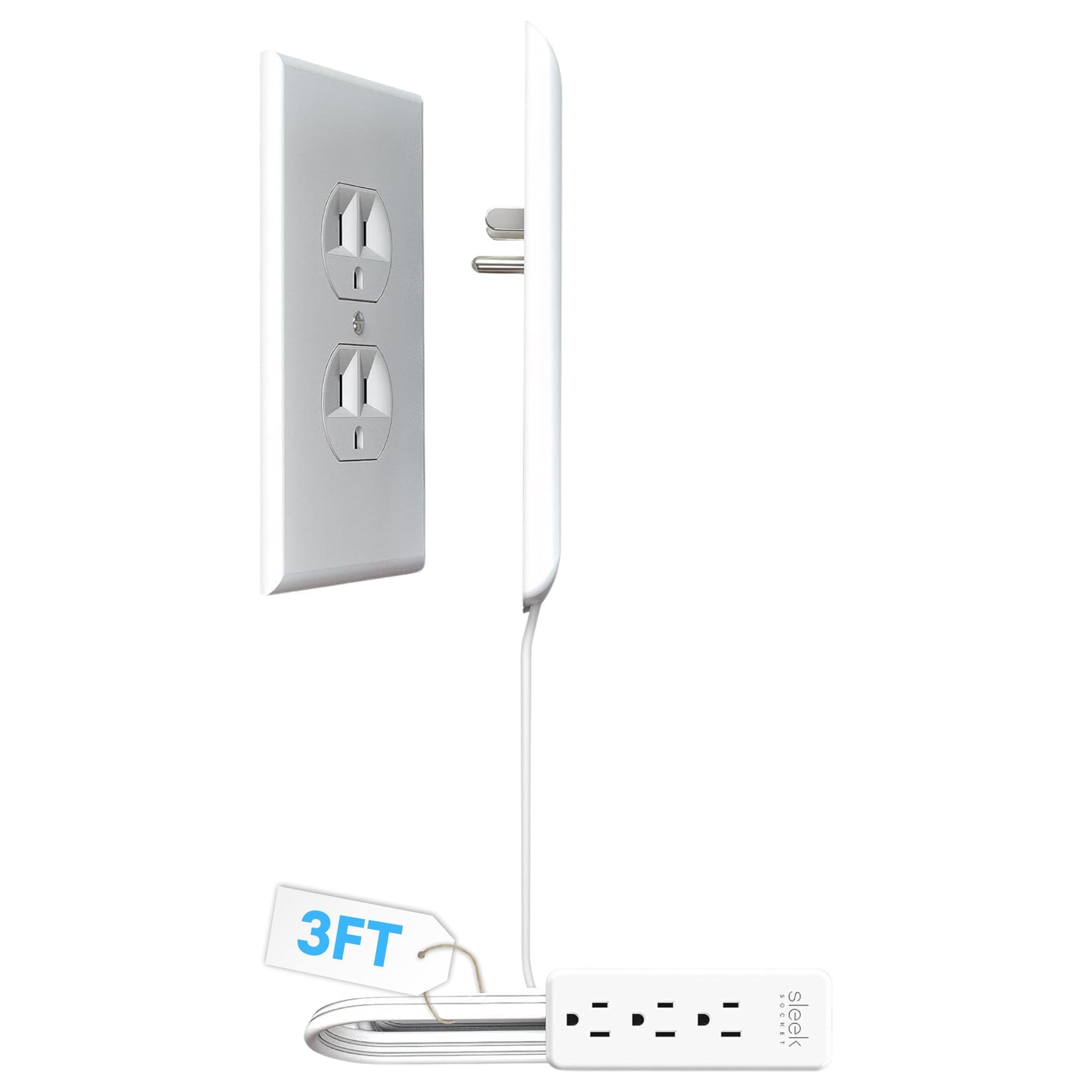
- Includes a 3-outlet power strip.
- The flat extension cord is a tidy fit for small areas and behind furniture.
- Adhesive strips and clips help secure the cord to a wall.
Best Gift For: Someone tidying cords around a home office outlet or furniture.
SABRENT 5-in-1 USB-C Hub (HB-TG5P)
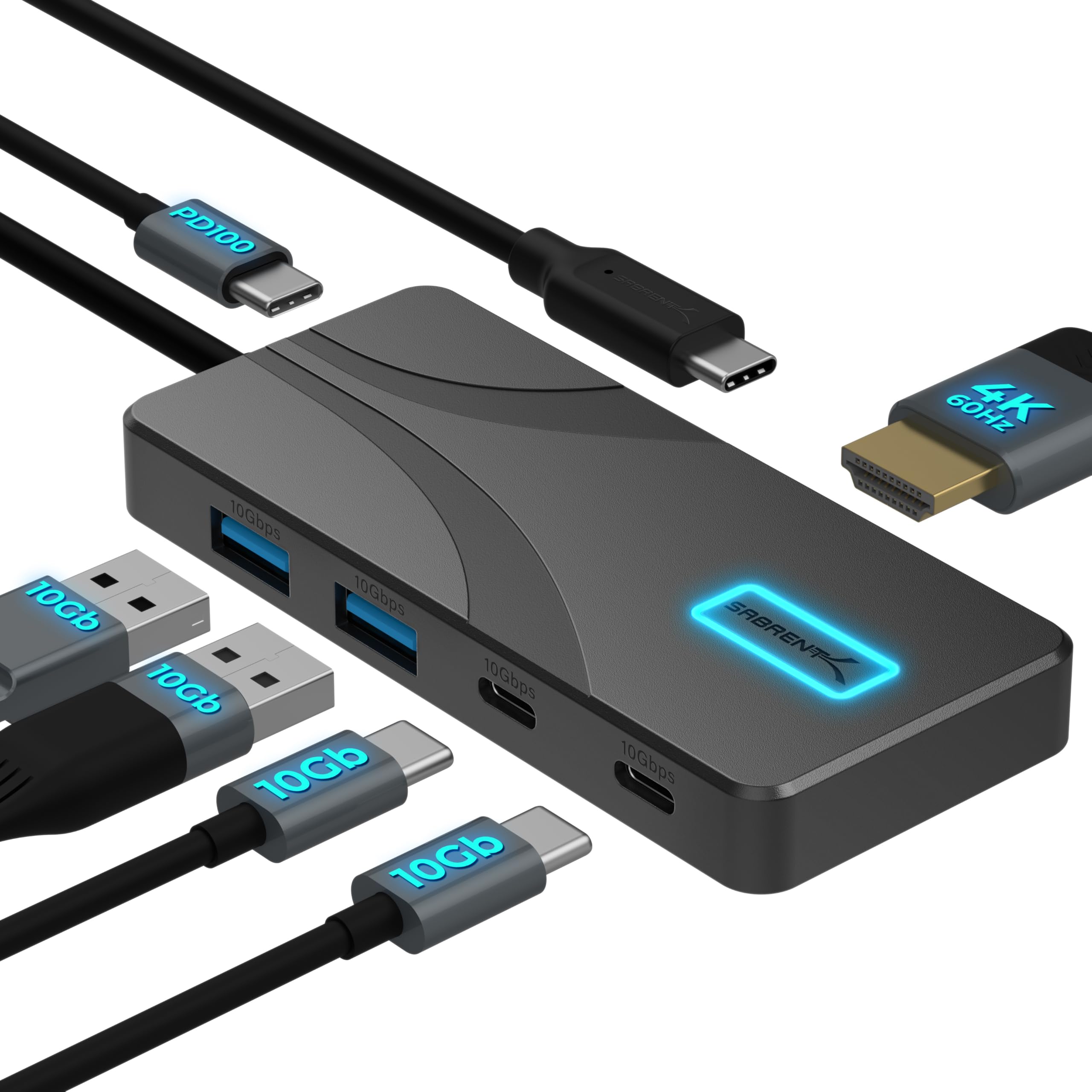
- Provides a single HDMI output for displays up to 4K at 60Hz.
- Provides two USB-A and two USB-C data ports, each rated at 10Gbps.
- With a 100W USB-C PD charger connected, passes up to 80W to a laptop; power adapter is not included.
Best Gift For: A laptop user who wants to connect peripherals or an external display.
TP-Link BE6500 Dual-Band WiFi 7 Router (BE400)
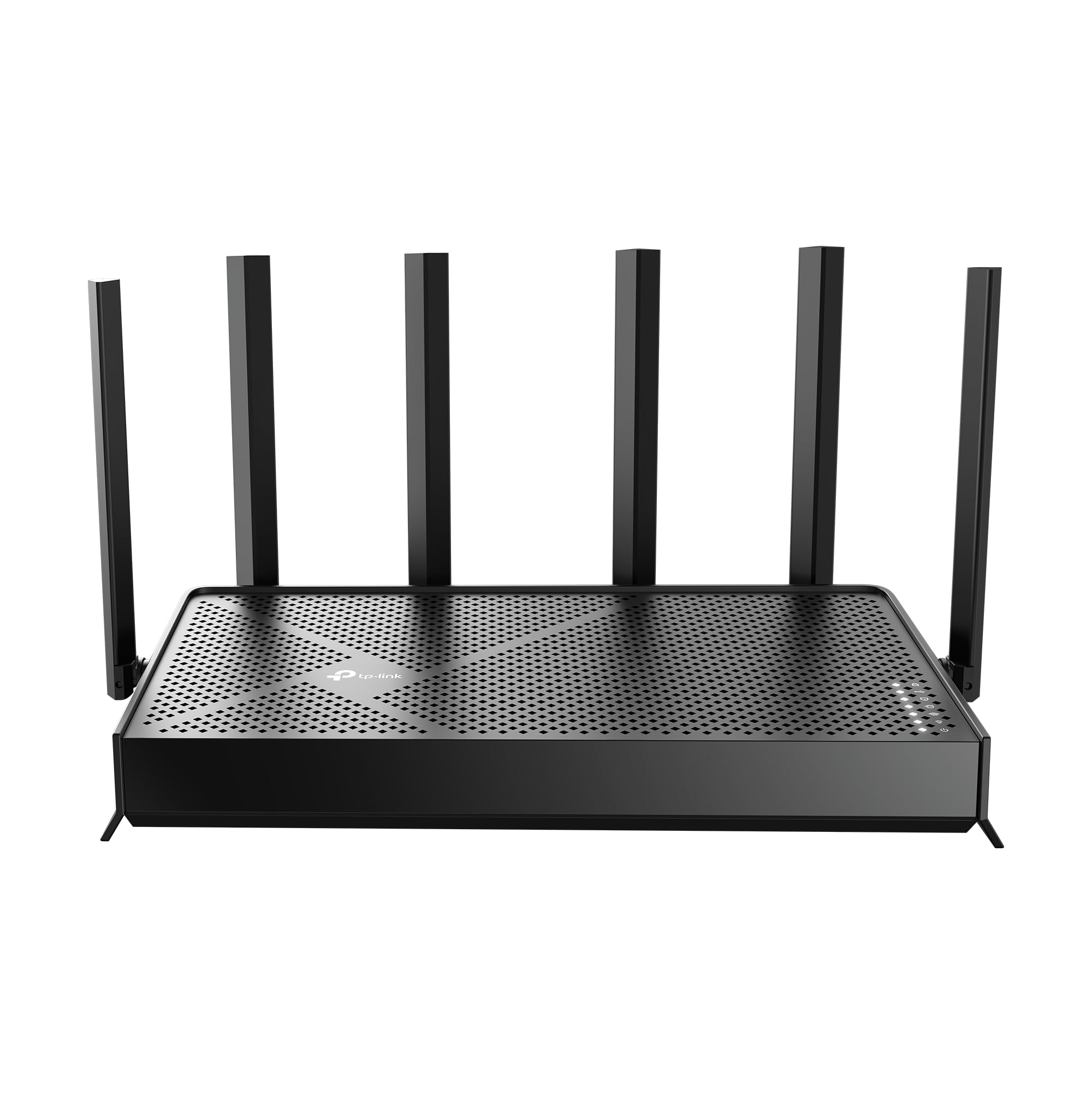
- Designed around Wi-Fi 7 technology.
- Coverage reaches up to 2,400 sq. ft. for up to 90 devices at a time.
- Supports an EasyMesh network when paired with a compatible Wi-Fi router or range extender.
Best Gift For: A remote worker looking to refresh the home network used by work devices.
MAONO Wave T5 Mini Wireless Lavalier Microphone

- Records at 48kHz/24-bit.
- Includes four one-tap voice filters.
- The compact charging case provides 40 hours of total use.
Best Gift For: A home worker who records video, teaches online, or makes voiceovers.
Phomemo D30 Bluetooth Label Maker with 3 Tapes
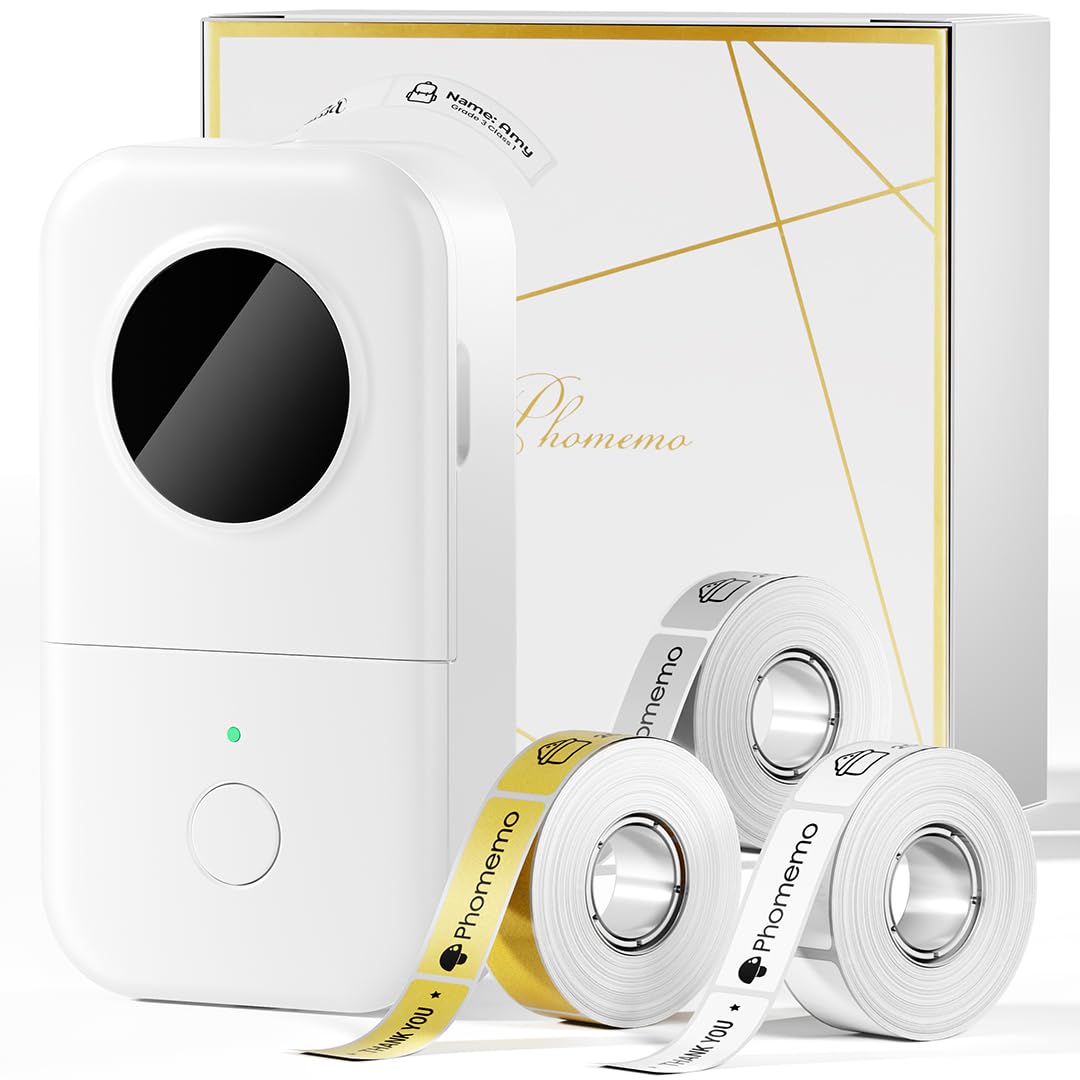
- Comes with three tapes: white, gold, and clear.
- Prints black text on labels without ink, toner, or ribbons.
- The app offers templates and design elements for labels.
Best Gift For: Someone who likes organizing office supplies, files, and cables.
Choosing home office tech gifts for their work style
When choosing home office tech gifts, start with the part of the workday the recipient would most like to improve. Someone with frequent video calls may appreciate a headset or microphone, while a person juggling several windows could get more from a monitor mount or laptop stand.
Think about the workspace as well as the person. A shared room may call for compact gear or tidier cables, while a dedicated desk can accommodate larger speakers or a monitor setup.
A quick look at the desk can help you avoid a gift that does not fit.
For any item that connects to existing equipment, check compatibility before buying. Confirm the recipient’s computer ports and operating system, and for mounting equipment, check the monitor and desk requirements.
This small bit of planning can help a useful gift work smoothly from the start.
Balance budget and usefulness
A useful gift does not need to be a major workstation upgrade. Smaller accessories such as a label maker, cable organizer, or USB hub can solve a specific daily nuisance, while a headset or laptop stand may be a more noticeable upgrade for someone who uses one throughout the day.
For home office tech gifts at different budget levels, think about what the recipient already owns and what they would use often. A modest accessory can be a thoughtful choice when it fits an obvious need; a larger purchase makes more sense when you know it will match their equipment and routines.
Check actual prices before deciding, since prices can change. For a higher-cost gift, consider whether the recipient has asked for a particular feature or setup.
When you are uncertain, a smaller practical item may be easier to choose and still feel personal.
Personalize home office tech gifts thoughtfully
Personalization can come from matching the gift to a work habit rather than adding a name or decoration. A person who takes calls while moving between devices may value a headset, while someone who records presentations or tutorials may appreciate audio gear suited to that task.
Use what you know about their desk and routines to make the choice feel considered. If they often clear clutter before working, an organizing accessory may suit them; if they listen to music between meetings, speakers could make the workspace more welcoming.
Keep the gift tied to a real preference you have observed.
Presentation can be simple: wrap the item neatly and add a short note explaining why you thought it would suit their workday. For a compatibility-dependent gift, you can include a small card suggesting they check fit or connections together, making the setup part of the present.
Buying advice for last-minute home office tech gifts
For a last-minute choice, focus on items with straightforward uses and verify that they fit the recipient’s devices. A hub, headset, or label maker may be easier to match than a mount that depends on a particular screen and desk arrangement.
Before ordering, check the seller’s current product details, compatibility, dimensions, and delivery estimates. Avoid relying on old screenshots or remembered prices, especially if the recipient’s computer or workspace has changed since you last saw it.
If timing is uncertain, choose a gift that can be presented with a note or wrapped card explaining the idea while you confirm the details. That keeps the occasion thoughtful without making an unverified promise about arrival.
Make the workspace gift feel personal
The most satisfying choice is often one that supports the recipient’s own version of a productive workday. A neat desk, clearer calls, comfortable screen positioning, or easier access to devices can each make a practical difference, depending on what they value.
Consider whether they prefer to keep technology minimal or enjoy tuning a full setup. A simple accessory can fit someone who likes a calm desk, while an audio or networking upgrade may suit a person who enjoys shaping their workspace around work and leisure.
A short handwritten message can connect the present to the person rather than to the gadget. Mention the routine you had in mind, such as smoother meetings or a tidier corner, and leave room for them to arrange the workspace in the way that feels right.