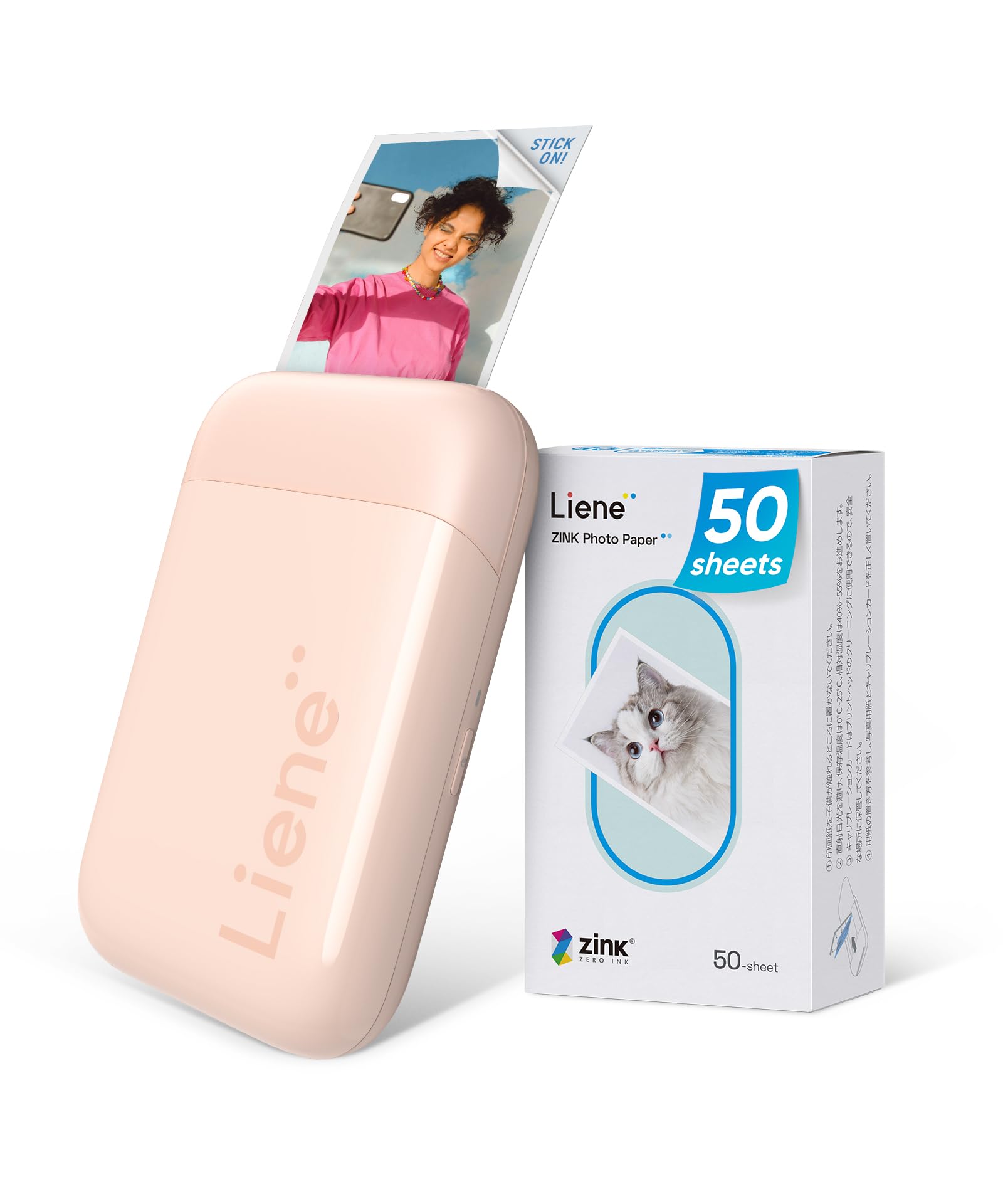
The Liene Pearl K100 turns phone photos into small, adhesive-backed prints for scrapbooks, albums, and casual decorating.
This liene 2x3 photo printer review looks at its Zink paper, phone-based workflow, and practical limits for buyers choosing a portable keepsake printer.
Liene Pearl K100 Review Summary
The quick verdict
1,000+ ratings
Read Amazon ReviewsLiene Pearl K100 Photo Printer
A compact phone printer for scrapbookers and casual photographers who want small, adhesive-backed color or monochrome prints without ink cartridges.
- Zink printing uses color embedded in the paper, removing the need for separate ink cartridges, toner, or ribbon.
- Prints are 2 by 3 inches on adhesive-backed glossy photo paper; the supplied pack contains 50 sheets.
- The printer supports color and monochrome output, including a film-like vintage style for monochrome photos.
- Bluetooth 5.2 connects the printer to compatible iOS and Android phones, with photo selection and printing handled through the Liene app.

Pros
- Small, lightweight body is easy to carry for trips, gatherings, and craft sessions.
- Adhesive-backed prints can go directly into a scrapbook or onto a suitable clean surface.
Consider before buying
- The 2-by-3-inch format is intentionally small and may not suit buyers who want larger display photos.
- The Liene app is required to print, so the phone-based workflow is part of every print session.
Read the full review summary
The Pearl K100 is built around simple, small-format printing: connect a compatible iOS or Android phone over Bluetooth, select a picture in the Liene app, and print a 2-by-3-inch photo.
Its Zink process places the color in the paper, so there are no separate ink cartridges, toner, or ribbon to replace.
The included pack has 50 adhesive sheets, which gives a new owner a useful supply for albums and craft projects.
Its strongest fit is a buyer who values portability and peel-and-stick photos more than larger prints or a standalone camera.
The printer also supports monochrome output, has a USB-C charging port, and is described as producing up to 30 photos per charge.
Printing depends on the Liene app, and each print takes about 45 seconds, so it suits deliberate keepsake making better than high-volume or instant-event printing.
The buying factors
Liene Pearl K100 Scorecard
Editorial scores reflect listed features and buyer fit; they are not laboratory measurements or customer ratings.
Everyday portability
At 6.4 ounces and about 4.92 by 3.35 by 0.98 inches, it is sized for carrying with a phone or in a small bag.
Adhesive print utility
The 2-by-3-inch Zink sheets have peel-off backing, a natural fit for albums, scrapbooks, and small decorative projects.
Print style flexibility
It supports both color and monochrome output, including a film-like vintage appearance for monochrome photos.
Setup and workflow
Bluetooth 5.2 and a phone app make the workflow compact, though printing is app-dependent.
Included paper supply
The printer comes with 50 sheets, a generous starter pack for trying it across several projects.
Sustained session readiness
Up to 30 prints per charge is suitable for casual batches, while the roughly 45-second print time favors a measured pace.
Key Features and Specifications of Liene Pearl K100
- Zink printing uses color embedded in the paper, removing the need for separate ink cartridges, toner, or ribbon.
- Prints are 2 by 3 inches on adhesive-backed glossy photo paper; the supplied pack contains 50 sheets.
- The printer supports color and monochrome output, including a film-like vintage style for monochrome photos.
- Bluetooth 5.2 connects the printer to compatible iOS and Android phones, with photo selection and printing handled through the Liene app.
- A USB-C port is used to recharge the printer; the product description gives a capacity of up to 30 photos per charge.
- The described print time is about 45 seconds per photo, and the printer weighs 6.4 ounces.
- The app includes a print-head cleaning feature for white spots or lines; using it requires a blue calibration card.
Pros and Cons of Liene Pearl K100
Pros
- Small, lightweight body is easy to carry for trips, gatherings, and craft sessions.
- Adhesive-backed prints can go directly into a scrapbook or onto a suitable clean surface.
- A 50-sheet starter pack gives buyers room to experiment without immediately sourcing more paper.
- Color and monochrome output offer two distinct treatments for phone photos.
- USB-C charging and a stated capacity of up to 30 prints support occasional use away from a desk.
Consider before buying
- The 2-by-3-inch format is intentionally small and may not suit buyers who want larger display photos.
- The Liene app is required to print, so the phone-based workflow is part of every print session.
- A print takes about 45 seconds, making this a less natural choice for quick, continuous printing at a busy event.
Who Should Buy Liene Pearl K100?
Good fit
Choose the Pearl K100 if your main goal is turning selected phone images into compact keepsakes. Its adhesive paper is especially useful for scrapbook pages, journals, albums, and small craft projects where a peel-and-place format is convenient.
It also makes sense if you want a portable printer that can produce both color and monochrome versions.
The Zink design keeps the printer free of separate ink cartridges, while the included paper supply lets you start experimenting with photos and layouts right away.
Before buying, consider how often you will print and whether the app-centered routine suits you.
If the 2-by-3-inch size, roughly 45-second wait, and up-to-30-print charge capacity fit your typical session, the K100 offers a focused setup for casual phone-photo printing.
Who should skip it
Skip it if you expect large prints, a rapid stream of photos, or a workflow that does not depend on a phone app. Its described format and print pace are aimed at small, selected keepsakes.
If you expect to use the cleaning feature, check that the blue calibration card is available when you need it; the product instructions make it part of that process.
How the Liene Pearl K100 Fits a Small-Print Routine
A small format built for hands-on projects
At 2 by 3 inches, each print is closer to a compact keepsake than a wall photograph.
The adhesive backing makes it easy to place images in albums or on craft surfaces, and the 50-sheet pack supports several small projects.
Buyers who want one image to stand on its own across a room should consider whether this scale will feel limiting.
Zink simplifies the printer, while paper remains central
Because the color is embedded in the Zink paper, there are no separate cartridges, toner, or ribbon to manage. The tradeoff is that printing is tied to the compatible adhesive paper format.
The described paper is glossy, waterproof, tear-resistant, and anti-staining; these qualities suit everyday handling, though they do not change the compact dimensions.
Phone app control keeps the kit portable
The K100 connects by Bluetooth 5.2 and handles selection and printing through the Liene app. That keeps the process centered on the phone image library, but it also means the app is essential to the workflow.
The app's cleaning feature may help address white spots or lines, with the blue calibration card required for that function.
Plan for a casual printing pace
A stated print time of about 45 seconds and capacity of up to 30 photos per charge suggest a printer intended for selected images and modest batches.
USB-C charging helps keep charging familiar for many phone owners, while the low weight supports taking it along. For a party where people may queue up many photos, think through whether that pace matches the occasion.
Alternatives to Liene Pearl K100
Portable Photo Printers alternative
12,000+ ratings
Read Amazon ReviewsKODAK Mini 2 Retro Photo Printer
Consider the Liene when peel-and-stick Zink prints and a larger included paper pack are the priority.
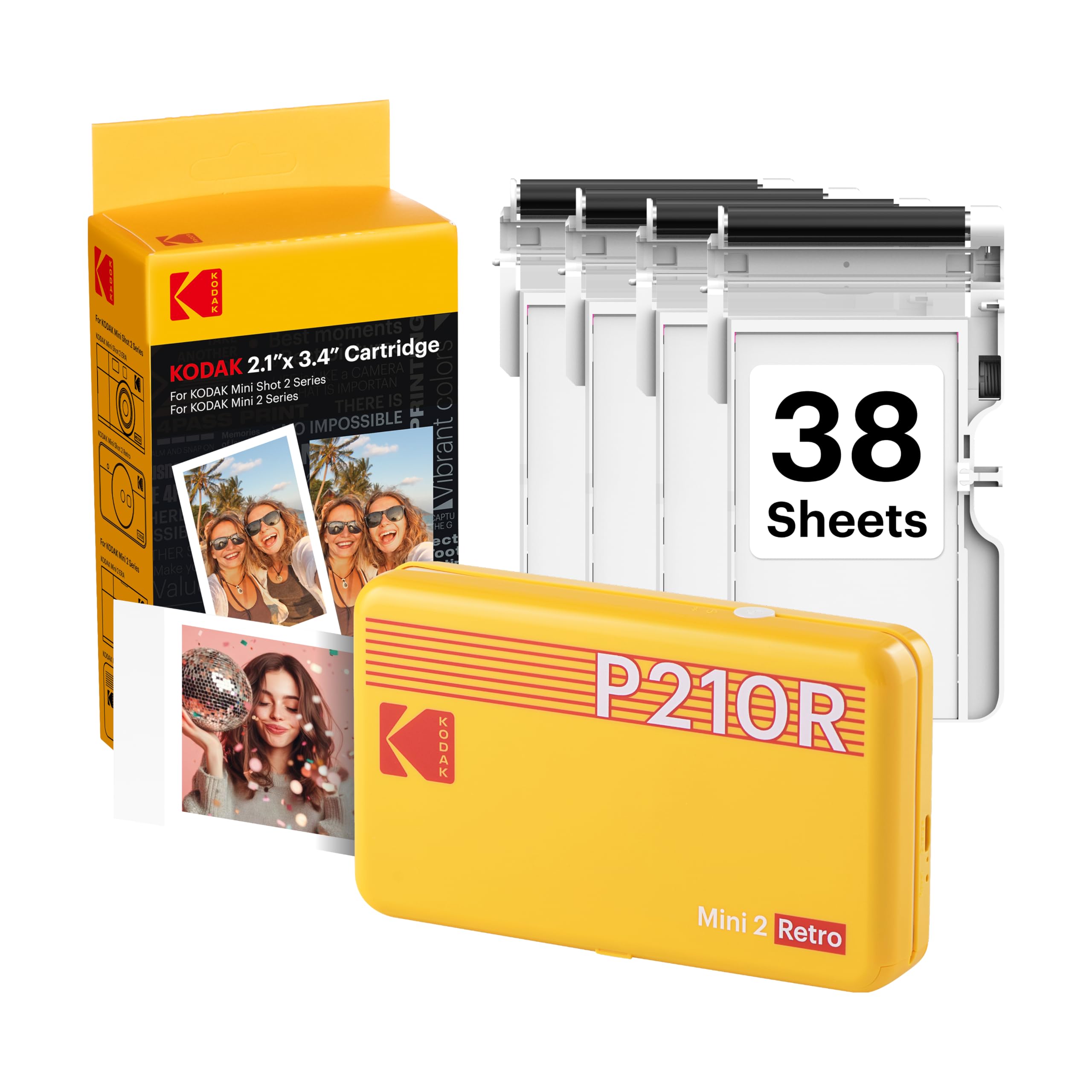
The KODAK is a relevant alternative if you prefer a dye-sublimation process with a protective lamination layer and are comfortable using its included cartridges and paper.
- The KODAK Mini 2 Retro uses 4PASS dye-sublimation printing and includes 38 sheets with four cartridges.
- Its photo process takes about 55 seconds, and the prints are described as credit-card-sized.
- The Liene Pearl K100 uses Zink paper and prints 2-by-3-inch adhesive photos, with color and monochrome output.
Portable Photo Printers alternative
25,000+ ratings
Read Amazon ReviewsHP Sprocket Select Photo Printer
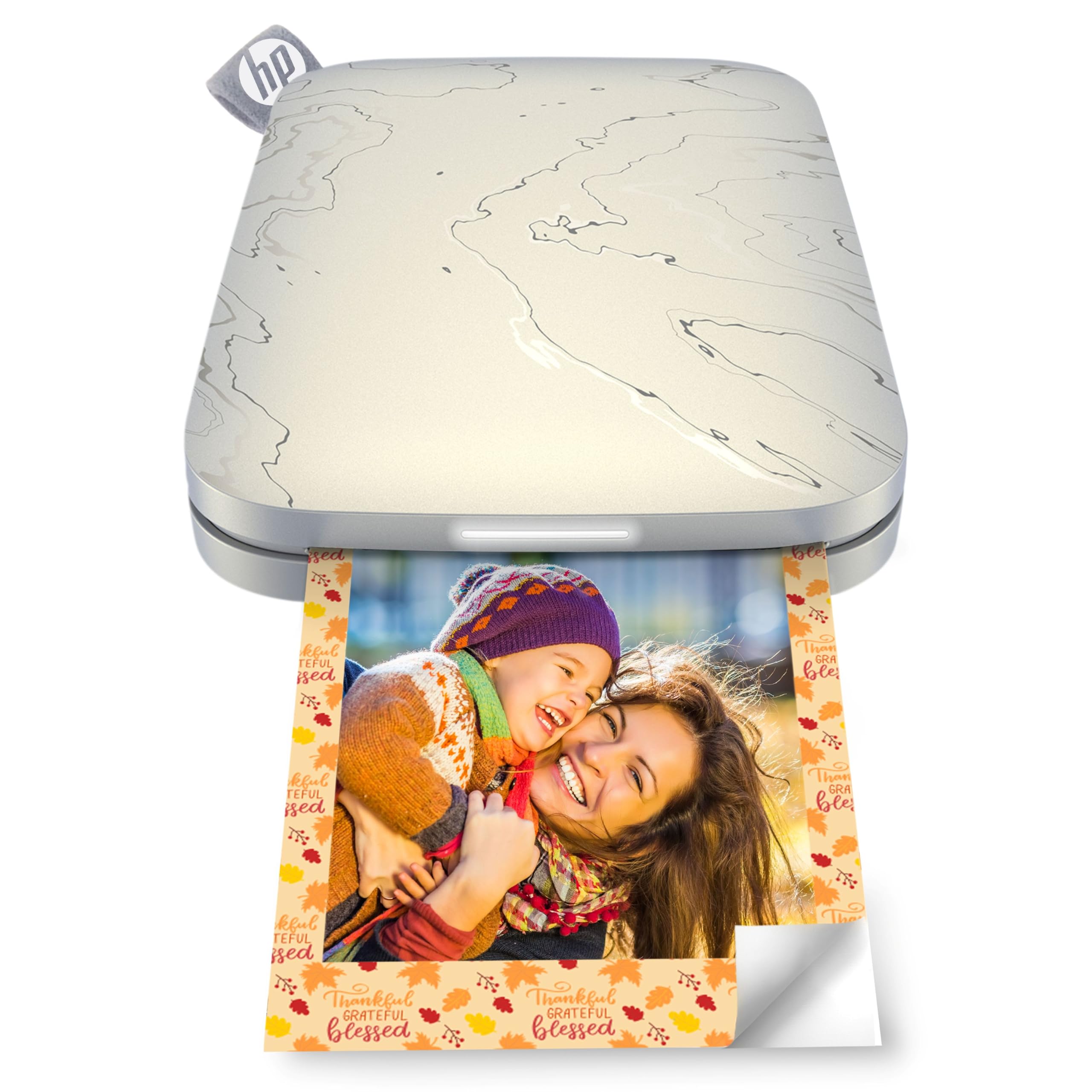
Choose the Liene for its compact 2-by-3-inch format and included 50-sheet supply. The HP is worth considering if you want a somewhat larger Zink photo and its editing tools better match how you prepare images.
- The HP Sprocket Select makes larger 2.3-by-3.4-inch Zink prints and offers app editing tools, including frames and filters. It connects to iOS and Android devices over Bluetooth 5.1.
- The Liene Pearl K100 makes 2-by-3-inch adhesive prints and includes 50 sheets.
Is Liene Pearl K100 Worth It?
The Liene Pearl K100 is worth considering for phone owners who want a light, app-controlled printer for small adhesive-backed photos.
Its 50-sheet starter pack, color and monochrome modes, and up-to-30-print charge capacity make it a practical match for casual albums and craft projects.
Buy it if the small format and roughly 45-second print pace suit your routine. Look elsewhere if you need larger prints or expect frequent, fast batches; those needs matter more than the K100's portable design.
Your review at a glance
1,000+ ratings
Read Amazon ReviewsLiene Pearl K100 Photo Printer
A compact phone printer for scrapbookers and casual photographers who want small, adhesive-backed color or monochrome prints without ink cartridges.
- Zink printing uses color embedded in the paper, removing the need for separate ink cartridges, toner, or ribbon.
- Prints are 2 by 3 inches on adhesive-backed glossy photo paper; the supplied pack contains 50 sheets.
- The printer supports color and monochrome output, including a film-like vintage style for monochrome photos.
- Bluetooth 5.2 connects the printer to compatible iOS and Android phones, with photo selection and printing handled through the Liene app.