The Nulea M501 Wireless Trackball Mouse moves the cursor with a thumb-operated ball, so you can keep the mouse stationary instead of sweeping it across your desk.
This nulea m501 wireless trackball mouse review looks at its ergonomic shape, adjustable DPI, wireless connections, and the tradeoffs to consider before switching to a trackball.
Nulea M501 Trackball Review Summary
The quick verdict
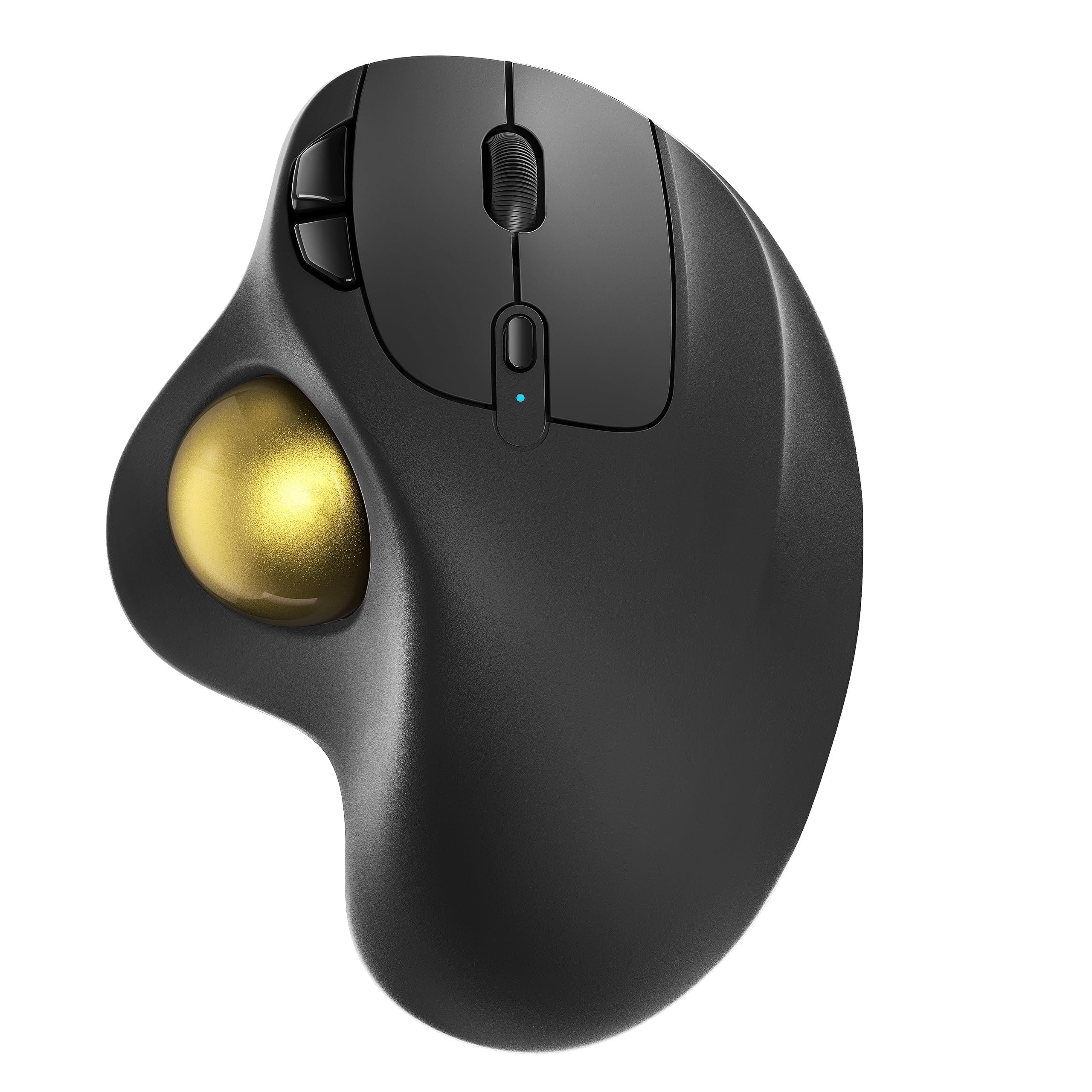
12,000+ ratings
Read Amazon ReviewsNulea M501 Wireless Trackball Mouse
A right-handed trackball for people who want thumb-controlled cursor movement, multi-device switching, and a setup that needs little desk space.
- Thumb-operated trackball controls cursor movement while the mouse stays in place.
- Four DPI levels provide adjustable cursor sensitivity.
- Bluetooth and a 2.4 GHz USB receiver offer wireless connection options; the receiver is stored on the bottom of the mouse.
- Can connect to as many as three devices, with switching through a button on the underside.

Pros
- Uses little desk space because cursor control comes from the trackball rather than mouse travel.
- Offers Bluetooth and USB receiver connectivity, with switching among up to three devices.
Consider before buying
- The right-handed shape and thumb-operated ball may not suit left-handed users or people who prefer a conventional mouse movement.
- The buttons are not programmable, limiting customization for workflows that rely on assigned shortcuts.
Read the full review summary
The M501 is designed for compact work areas and people who prefer controlling the cursor with a thumb rather than moving a conventional mouse around.
Its right-handed shape, four DPI levels, six buttons, and Bluetooth or USB receiver connectivity cover the core needs of everyday computer navigation, while the trackball can be used on surfaces where a moving mouse would have little room.
It can also connect to as many as three devices, which may suit a desk shared between a computer and other compatible devices.
The built-in rechargeable battery avoids disposable cells, though charging requires the included cable and the maker advises against using a fast charger.
The fixed trackball design is a notable change from standard mice, so comfort will depend on whether thumb-driven cursor control suits you.
The buying factors
Nulea M501 Trackball Scorecard
Editorial scores reflect listed features and buyer fit; they are not laboratory measurements or customer ratings.
Compact-space suitability
Cursor movement comes from the trackball, so the mouse does not need a clear sweep area.
Connection flexibility
Bluetooth and a USB receiver are offered, with switching among up to three connected devices.
Ergonomic design
The angled right-handed shape is designed for a natural palm position, though the thumb-operated control is a personal fit.
Cursor adjustment
Four DPI levels offer a way to change cursor sensitivity for different tasks.
Button utility
Six buttons include back and forward controls, but the buttons are not programmable.
Power convenience
A built-in rechargeable battery removes the need for dry-cell batteries, with charging guidance to follow.
Key Features and Specifications of Nulea M501 Trackball
- Thumb-operated trackball controls cursor movement while the mouse stays in place.
- Four DPI levels provide adjustable cursor sensitivity.
- Bluetooth and a 2.4 GHz USB receiver offer wireless connection options; the receiver is stored on the bottom of the mouse.
- Can connect to as many as three devices, with switching through a button on the underside.
- Built-in rechargeable battery; the supplied charging cable is recommended, and a computer USB port or 5V charger is advised instead of a fast charger.
- Six buttons include back and forward controls. The buttons are not programmable.
- Right-handed design; the listed compatible operating systems include Windows and Mac OS, with Windows 10 given as the minimum required Windows version.
Pros and Cons of Nulea M501 Trackball
Pros
- Uses little desk space because cursor control comes from the trackball rather than mouse travel.
- Offers Bluetooth and USB receiver connectivity, with switching among up to three devices.
- Four DPI levels let users adjust cursor sensitivity.
- Rechargeable battery avoids replacing dry-cell batteries.
- Back and forward buttons add convenient navigation controls.
Consider before buying
- The right-handed shape and thumb-operated ball may not suit left-handed users or people who prefer a conventional mouse movement.
- The buttons are not programmable, limiting customization for workflows that rely on assigned shortcuts.
- Charging instructions rule out fast chargers; plan to use the included cable with a computer USB port or 5V charger.
Who Should Buy Nulea M501 Trackball?
Good fit
Consider the M501 if your work surface is crowded or you often use a mouse on a couch, bed, or another small platform.
Because the device stays stationary while the ball moves the cursor, it is designed for setups where a conventional mouse would have limited room to travel.
It may also fit a right-handed user who wants one wireless pointing device for several computers or compatible devices.
Bluetooth and the included receiver provide connection choices, and the underbody switch is intended to move between as many as three connected devices. Check that your devices and operating systems match the supported setup before buying.
The four DPI levels and back and forward buttons cover useful everyday adjustments and navigation. If those functions suit your routine, the rechargeable design and compact footprint make the M501 a practical option to consider.
Who should skip it
Skip it if you need a left-handed mouse, prefer moving the whole device to steer the cursor, or rely on programmable buttons for custom shortcuts. The thumb-controlled trackball changes the control feel, and its buttons are not programmable.
If your setup depends on fast charging, check whether the recommended charging method works for you: the instructions specify the included cable with a computer USB port or a 5V charger.
How the Nulea M501 Trackball Fits a Compact Setup
Stationary control in tight spaces
A trackball lets you move the cursor without pushing the mouse across the desk.
That design can be useful on a crowded workstation or a small surface such as a chair-mounted writing board, where a conventional mouse may have little room to travel.
The tradeoff is a different control motion: your thumb moves the ball, so the transition from a standard mouse may take adjustment.
A right-handed ergonomic shape
Nulea describes an angled shape intended to keep the palm in a natural position, and the M501 is specified for right-handed use.
These design choices may appeal to someone seeking a more stationary hand position, but comfort is individual. Consider whether the size, angle, and repeated thumb motion feel appropriate for your hand and typical work sessions.
Connections and device switching
Bluetooth and a 2.4 GHz USB receiver give you two wireless connection routes, while the underside button is used to switch among up to three devices.
The receiver is stored beneath the mouse, which can help keep it with the device when not plugged in. Before choosing a connection, confirm which option suits the ports and pairing preferences of your computers.
Controls, sensitivity, and charging
Four DPI levels allow cursor sensitivity changes, and six buttons include back and forward navigation. The buttons are not programmable, so users who need personalized commands should account for that fixed layout.
The rechargeable battery avoids disposable cells, while the charging guidance calls for the included cable and a computer USB port or 5V charger rather than a fast charger.
Alternatives to Nulea M501 Trackball
No alternative model is recommended here. Compare the design and features that matter to your routine before choosing another option.
Is Nulea M501 Trackball Worth It?
The Nulea M501 Wireless Trackball Mouse is worth considering if you want thumb-controlled cursor movement in a compact area, need wireless options for up to three devices, and prefer a rechargeable design.
Its four DPI levels and back and forward buttons add practical control for everyday navigation.
Make sure the right-handed trackball motion suits you, and be comfortable with fixed, nonprogrammable buttons and the specified charging method.
If those tradeoffs fit your routine, the M501 is a focused alternative to a conventional mouse for space-constrained work.
Your review at a glance
12,000+ ratings
Read Amazon ReviewsNulea M501 Wireless Trackball Mouse
A right-handed trackball for people who want thumb-controlled cursor movement, multi-device switching, and a setup that needs little desk space.
- Thumb-operated trackball controls cursor movement while the mouse stays in place.
- Four DPI levels provide adjustable cursor sensitivity.
- Bluetooth and a 2.4 GHz USB receiver offer wireless connection options; the receiver is stored on the bottom of the mouse.
- Can connect to as many as three devices, with switching through a button on the underside.