The MAONO DGM20S is a USB gaming microphone built around easy voice control, configurable lighting, and a flexible boom arm. This review maono dgm20 looks at how those choices suit gaming, streaming, and everyday voice recording.
MAONO DGM20S Review Summary
The quick verdict
6,000+ ratings
Read Amazon ReviewsMAONO DGM20S
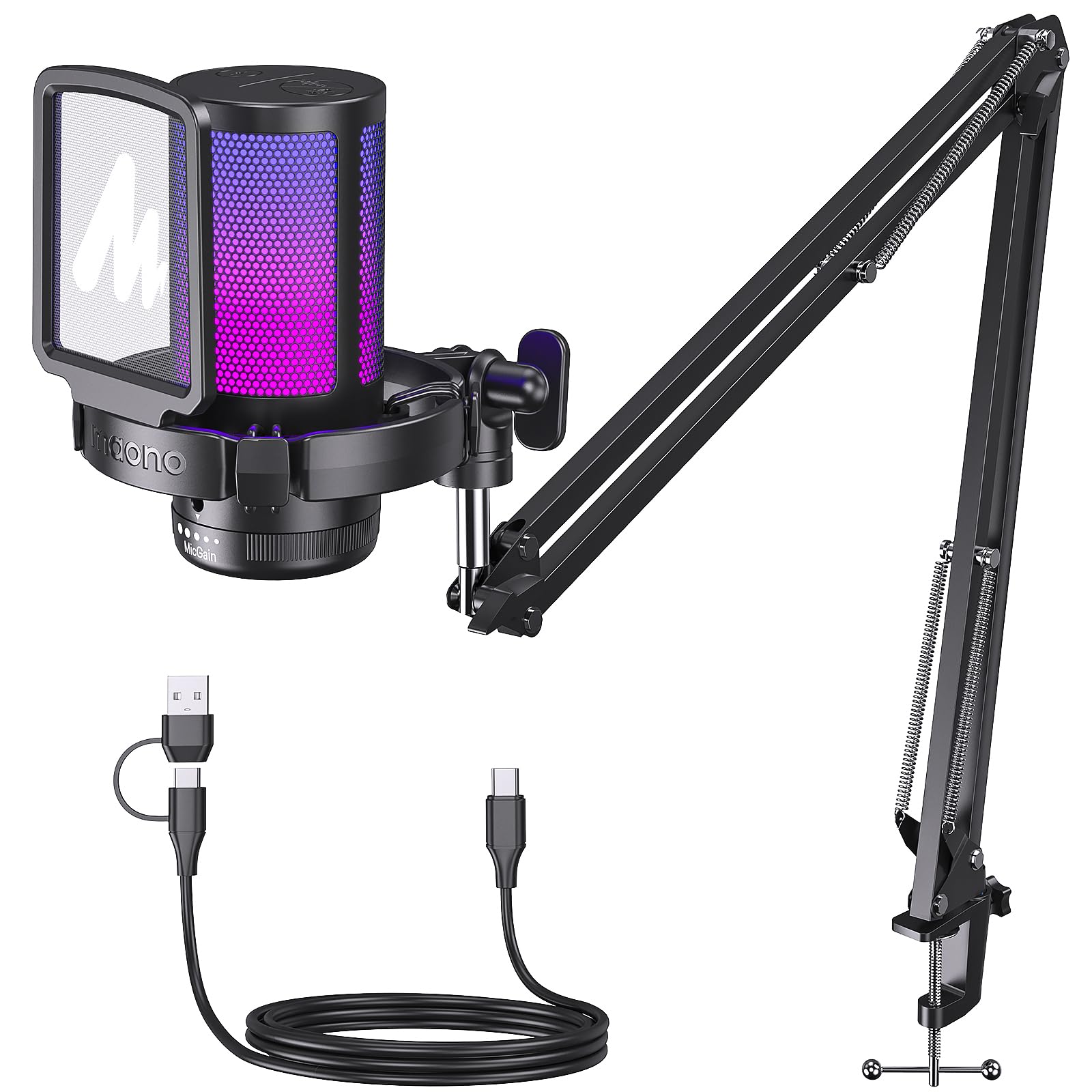
A practical fit for PC and console gamers who want a boom arm, quick audio controls, RGB lighting, and straightforward USB setup.
- USB condenser microphone with a cardioid pickup pattern intended to focus on sound in front of the mic.
- One-click noise cancellation, plus a top-mounted tap-to-mute control.
- Mic gain knob and headphone monitoring for adjusting input and listening to the mic signal.
- Nine RGB lighting modes, with short-press controls to switch lighting and a long press to turn it off.

Pros
- Convenient mute and gain controls are built into the microphone for quick adjustments during a session.
- Zero-latency headphone monitoring supports checking the mic signal while speaking or streaming.
Consider before buying
- Xbox compatibility is explicitly excluded, so Xbox users should choose a different setup.
- A boom arm and desktop clamp require a suitable place to attach and position the assembly; check your desk layout before buying.
Read the full review summary
The DGM20S combines a cardioid condenser microphone with one-click noise cancellation, a top-mounted mute button, a gain knob, and zero-latency headphone monitoring.
Its boom arm, shock mount, and removable pop filter make it a ready-to-position desktop setup rather than just a mic to place beside a keyboard.
It is aimed at gamers, streamers, and creators who want to get started over USB without driver installation. The stated compatibility covers Windows, Mac, PS5, and PS4, while Xbox is excluded.
Its strongest appeal is the mix of practical controls and included mounting hardware; buyers focused on studio recording should weigh whether a USB gaming setup matches their recording needs.
The buying factors
MAONO DGM20S Scorecard
Editorial scores reflect listed features and buyer fit; they are not laboratory measurements or customer ratings.
Setup simplicity
Plug-and-play USB connection is described for supported computers and PlayStation consoles, with no drivers required.
Voice control
The mic combines cardioid pickup, one-click noise cancellation, gain adjustment, and headphone monitoring.
On-mic controls
Top mute and RGB controls plus a gain knob offer quick adjustments without relying on software.
Desk positioning
The included metal boom arm can bring the mic closer or fold away, with a clamp, shock mount, and pop filter included.
Lighting flexibility
Nine RGB modes and controls for switching or turning off the lighting give users several setup options.
Platform fit
Compatibility includes Windows, Mac, PS5, and PS4, but the product is not compatible with Xbox.
Key Features and Specifications of MAONO DGM20S
- USB condenser microphone with a cardioid pickup pattern intended to focus on sound in front of the mic.
- One-click noise cancellation, plus a top-mounted tap-to-mute control.
- Mic gain knob and headphone monitoring for adjusting input and listening to the mic signal.
- Nine RGB lighting modes, with short-press controls to switch lighting and a long press to turn it off.
- Metal boom arm that can be positioned near the user or folded away, with a desktop clamp.
- Shock mount and removable pop filter, with USB and USB-C cable included.
- Plug-and-play compatibility listed for Windows computers, Mac, PS5, and PS4; Xbox is not supported.
Pros and Cons of MAONO DGM20S
Pros
- Convenient mute and gain controls are built into the microphone for quick adjustments during a session.
- Zero-latency headphone monitoring supports checking the mic signal while speaking or streaming.
- The boom arm offers flexible positioning and can be folded away when the desk needs more room.
- The package includes a shock mount, removable pop filter, clamp, and connection cable.
- RGB has nine modes and can be turned off when lighting is not wanted.
Consider before buying
- Xbox compatibility is explicitly excluded, so Xbox users should choose a different setup.
- A boom arm and desktop clamp require a suitable place to attach and position the assembly; check your desk layout before buying.
- The USB gaming-mic design is oriented toward chat, streaming, and voice recording; buyers planning a different recording workflow should confirm it fits their equipment and software.
Who Should Buy MAONO DGM20S?
Good fit
Consider the DGM20S if you want one microphone setup for PC or PlayStation gaming, voice chat, and casual streaming.
The top mute button and gain knob are easy-to-reach controls, while headphone monitoring gives you a way to listen to the mic signal as you adjust your voice level.
The arm and included accessories make the package especially suitable for a desk where mic position changes between play and storage.
Before ordering, check that the clamp can attach to your desk and that your device is among the supported platforms. The lighting can be switched among nine modes or turned off to suit a less colorful setup.
Who should skip it
Skip this model if you need an Xbox-compatible microphone. Its listed platform support excludes Xbox, so confirm another model’s compatibility before choosing it.
You may also want a different kind of microphone if your priority is a studio recording chain rather than a plug-and-play USB gaming setup. Match the connection and monitoring approach to your existing equipment before deciding.
How the MAONO DGM20S Fits a Gaming Desk
Voice pickup and noise control
The cardioid pattern is designed to prioritize sound from the front, which suits a speaker positioned toward the mic.
One-click noise cancellation adds a quick way to change how background sound is handled, but room placement still matters: keeping the mic oriented toward your voice and away from distracting sources is a sensible starting point.
Controls during play
The top-mounted mute control is useful when a conversation or break calls for silence, while the gain knob lets you adjust input sensitivity at the mic.
Zero-latency headphone monitoring gives you a direct way to hear the mic signal. These controls address common session adjustments without requiring a trip through computer menus.
Arm, clamp, and included accessories
The metal arm can move the microphone closer for use and fold away to free desk space. The included shock mount is intended to reduce vibration, and the removable pop filter can help manage plosive sounds.
Since the arm attaches with a desktop clamp, check the available edge and surrounding clearance before planning its position.
Lighting and device compatibility
Nine RGB modes give the DGM20S some visual flexibility, and the lighting can be switched off. The USB connection and no-driver setup are intended to make starting simple on the named Windows, Mac, and PlayStation platforms.
Xbox users are outside the stated compatibility, so platform fit should be settled before choosing this mic.
Alternatives to MAONO DGM20S
Vocal Condenser Microphones alternative
14,000+ ratings
Read Amazon ReviewsFIFINE AmpliGame A6V
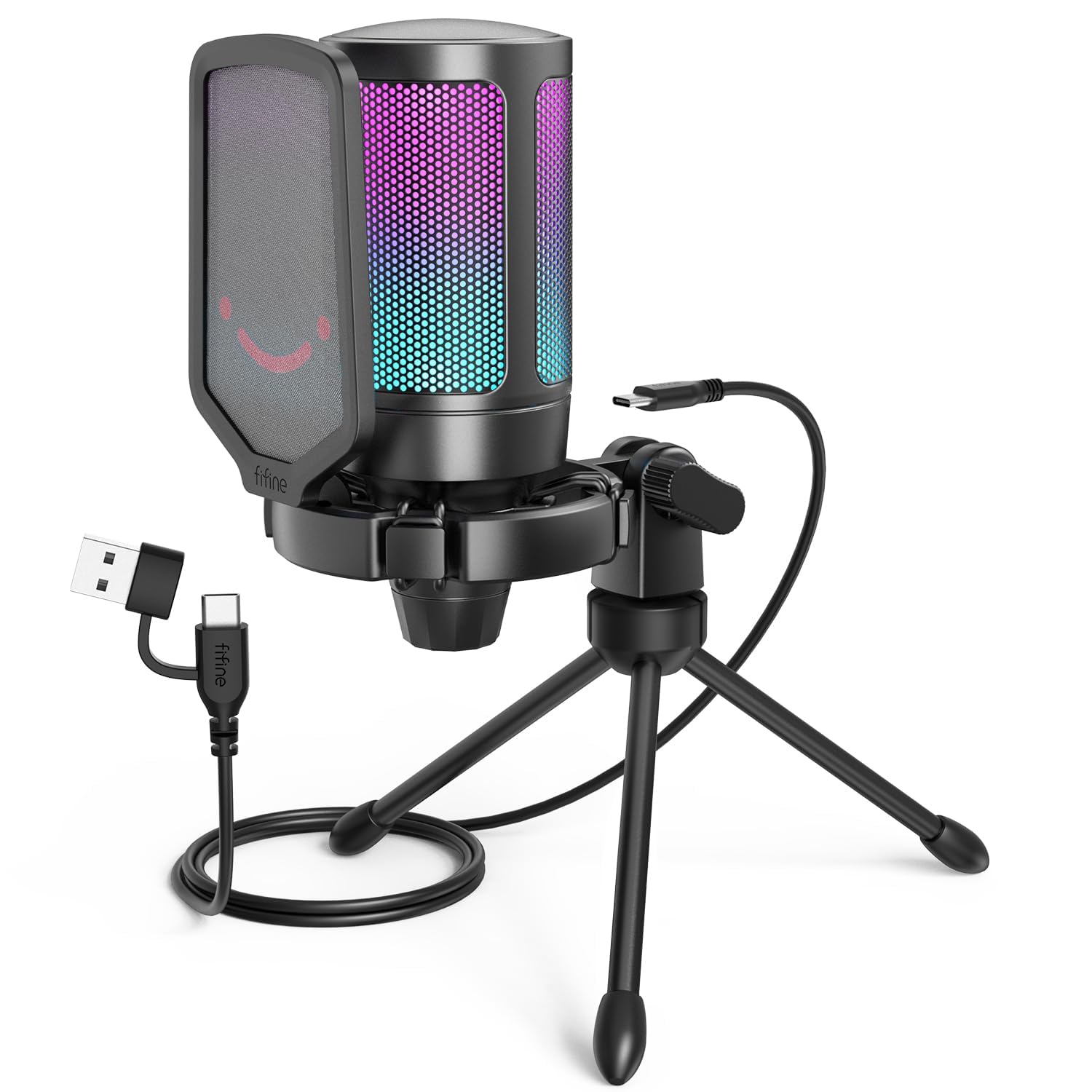
Choose the DGM20S if boom-arm positioning and headphone monitoring matter to your desk setup. Consider the A6V if you prefer a tripod stand and its described seven-color lighting arrangement.
- The FIFINE AmpliGame A6V comes with a tripod stand, pop filter, and shock mount. It offers a cardioid pattern, quick mute, gain control, and seven gradient RGB colors.
- The MAONO DGM20S includes a metal boom arm, desktop clamp, zero-latency headphone monitoring, and nine RGB lighting modes.
Vocal Condenser Microphones alternative
1,000+ ratings
Read Amazon ReviewsMAONO DGM20
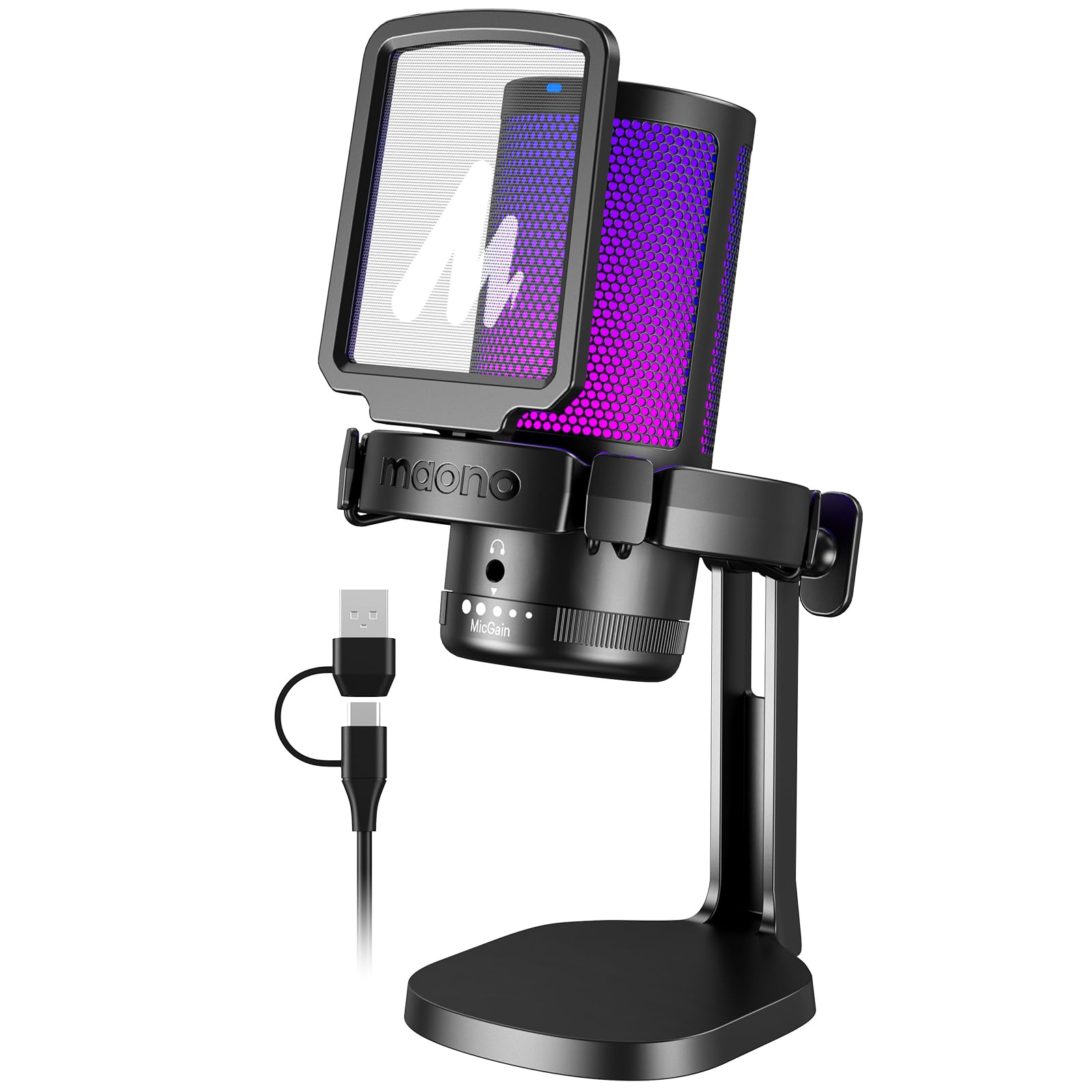
Consider the DGM20 if its described Windows software adjustment for noise cancellation is useful to your setup. The DGM20S is the better fit if the included boom arm and its nine lighting modes are priorities.
- The MAONO DGM20 is a related USB gaming microphone with RGB, mute, gain control, a headphone monitoring jack, and compatibility listed for PC, Mac, PS5, and PS4.
- Its description also mentions Windows-only noise reduction software.
- The DGM20S offers nine RGB lighting modes, a boom arm, and plug-and-play support listed for Windows, Mac, PS5, and PS4.
Is MAONO DGM20S Worth It?
The MAONO DGM20S is worth considering for gamers and streamers who want a USB mic with practical controls, headphone monitoring, configurable RGB, and a boom arm in one package.
Its design puts convenience and desk positioning at the center of the offer.
Check clamp fit and platform compatibility before buying, especially if you use Xbox. If the supported USB setup and boom-arm arrangement match your desk, the DGM20S provides a considered all-in-one starting point for gaming chat and streaming.
Your review at a glance
6,000+ ratings
Read Amazon ReviewsMAONO DGM20S
A practical fit for PC and console gamers who want a boom arm, quick audio controls, RGB lighting, and straightforward USB setup.
- USB condenser microphone with a cardioid pickup pattern intended to focus on sound in front of the mic.
- One-click noise cancellation, plus a top-mounted tap-to-mute control.
- Mic gain knob and headphone monitoring for adjusting input and listening to the mic signal.
- Nine RGB lighting modes, with short-press controls to switch lighting and a long press to turn it off.