The SABRENT 4 Port USB 2.0 Hub review is for anyone who wants a small way to add connections for everyday USB peripherals.
Its four ports, rotating connector and plug-and-play setup suit a simple desk or travel setup, while its USB 2.0 design and lack of charging support define its limits.
SABRENT USB Hub Review Summary
The quick verdict
16,000+ ratings
Read Amazon ReviewsSABRENT 4-Port USB 2.0 Hub
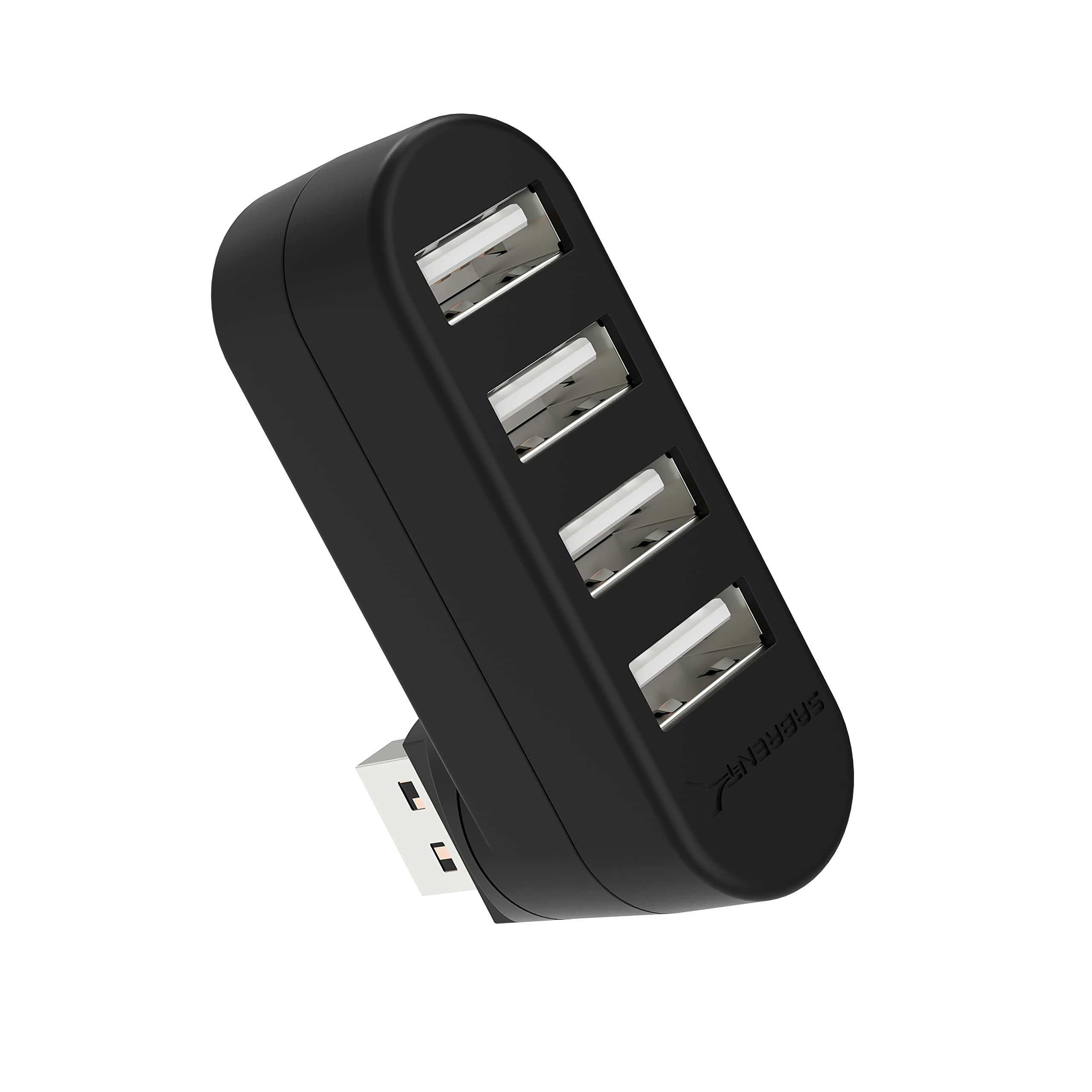
A compact, rotating four-port hub for buyers who need extra USB 2.0 connections for peripherals and do not need device charging.
- Four USB 2.0 ports add connections to a compatible device.
- The USB connector rotates to 90 or 180 degrees for different port orientations.
- Plug-and-play setup is described as hot-swappable and hot-pluggable.
- Compatibility is listed for Windows, Mac and Linux systems.

Pros
- Four ports provide practical expansion for several low-demand peripherals.
- The rotating connector can help the hub sit more neatly in tight spaces.
Consider before buying
- USB 2.0’s maximum transfer rate is modest for frequent large-file transfers.
- Charging is not supported, so it cannot serve as a charging hub.
Read the full review summary
This hub turns one compatible USB connection into four USB 2.0 ports in a compact plastic body.
Its connector can rotate through 90 or 180 degrees, which gives you some flexibility when the computer’s port is awkwardly positioned or the hub needs to sit close to the device.
It is best suited to keyboards, mice and other everyday USB accessories where adding ports matters more than newer data standards or charging.
Buyers connecting storage devices should consider whether USB 2.0’s stated maximum transfer rate of 480 megabits per second fits their workflow; people who want to charge devices through the hub should choose a model designed for that purpose.
The buying factors
SABRENT USB Hub Scorecard
Editorial scores reflect listed features and buyer fit; they are not laboratory measurements or customer ratings.
Port expansion
Four downstream ports provide a useful increase for a single host connection.
Placement flexibility
The rotating connector can be positioned at 90 or 180 degrees.
Portability
The compact, lightweight design is easy to carry or tuck beside a computer.
Setup simplicity
Plug-and-play operation and hot swapping make routine peripheral use straightforward.
Data speed for modern storage
USB 2.0 tops out at 480 megabits per second, which can constrain faster transfers.
Charging use
The product’s stated design does not support charging.
Key Features and Specifications of SABRENT USB Hub
- Four USB 2.0 ports add connections to a compatible device.
- The USB connector rotates to 90 or 180 degrees for different port orientations.
- Plug-and-play setup is described as hot-swappable and hot-pluggable.
- Compatibility is listed for Windows, Mac and Linux systems.
- Compact plastic enclosure measures 2.3 by 0.7 by 1.7 inches and weighs 1 ounce.
- The listed maximum data transfer rate is 480 megabits per second; charging is not supported.
Pros and Cons of SABRENT USB Hub
Pros
- Four ports provide practical expansion for several low-demand peripherals.
- The rotating connector can help the hub sit more neatly in tight spaces.
- Its compact, one-ounce form is convenient for a laptop bag or small desk.
- Plug-and-play and hot-swappable operation reduce setup steps for compatible devices.
Consider before buying
- USB 2.0’s maximum transfer rate is modest for frequent large-file transfers.
- Charging is not supported, so it cannot serve as a charging hub.
- The product description does not specify a separate power supply; check the power needs of the devices you plan to connect.
Who Should Buy SABRENT USB Hub?
Good fit
Consider this hub if you need a simple way to connect several basic USB accessories to a compatible computer.
Four ports can cover a keyboard, mouse and a couple of other peripherals, and the rotating connector offers a little more placement flexibility than a fixed orientation.
It also makes sense for occasional travel use. The small dimensions and low weight are easy to accommodate, and plug-and-play operation keeps the setup uncomplicated across the listed Windows, Mac and Linux compatibility.
Before choosing it, match the USB 2.0 limit to your routine. It is a more natural fit for peripherals that do not move large amounts of data than for workflows built around frequent high-volume transfers.
Who should skip it
Skip this model if you need a hub to charge phones, tablets or other devices; charging is not supported.
Look for a faster standard if external storage transfers are a regular part of your work, and check the power requirements of your connected devices before relying on this compact hub.
What the SABRENT USB Hub Means for Your Setup
The rotating connector is useful in close quarters
A port expander can become awkward when its body sticks straight out from a laptop or desktop.
The 90- and 180-degree rotation gives you options for positioning the hub alongside the host, which may help reduce obstruction around nearby connections. The benefit depends on your device’s port location and surrounding space.
Four ports suit a modest peripheral collection
Four added ports are enough for a compact group of accessories, such as input devices and other everyday peripherals. This is a straightforward way to expand one compatible connection without moving to a large multiport dock.
Think through the devices you will connect at the same time and whether their power needs suit the setup.
USB 2.0 sets expectations for data work
The listed transfer rate reaches up to 480 megabits per second, placing the hub in the USB 2.0 class.
That can be adequate for many routine peripherals, but a theoretical maximum does not guarantee a specific real-world rate, and the interface is a less compelling match for repeated large transfers.
Buyers should prioritize a newer hub standard if transfer speed is central to their use.
Charging needs call for another design
This hub is explicitly described as not supporting charging. Treat it as a way to add USB connections for compatible peripherals, rather than as a power station for mobile devices.
If charging is part of the shopping brief, compare models that clearly specify charging support and the power arrangement they require.
Alternatives to SABRENT USB Hub
One supplied alternative offers a clear four-port comparison with a faster USB standard; no second model is recommended here because the other supplied options differ substantially in port count or added functions.
USB Hubs alternative
2,000+ ratings
Read Amazon ReviewsSABRENT 4-Port Aluminum USB 3.0 Hub (HB-MC3B)
Choose the reviewed hub if its rotating connector and compact form suit your placement needs and USB 2.0 is sufficient.
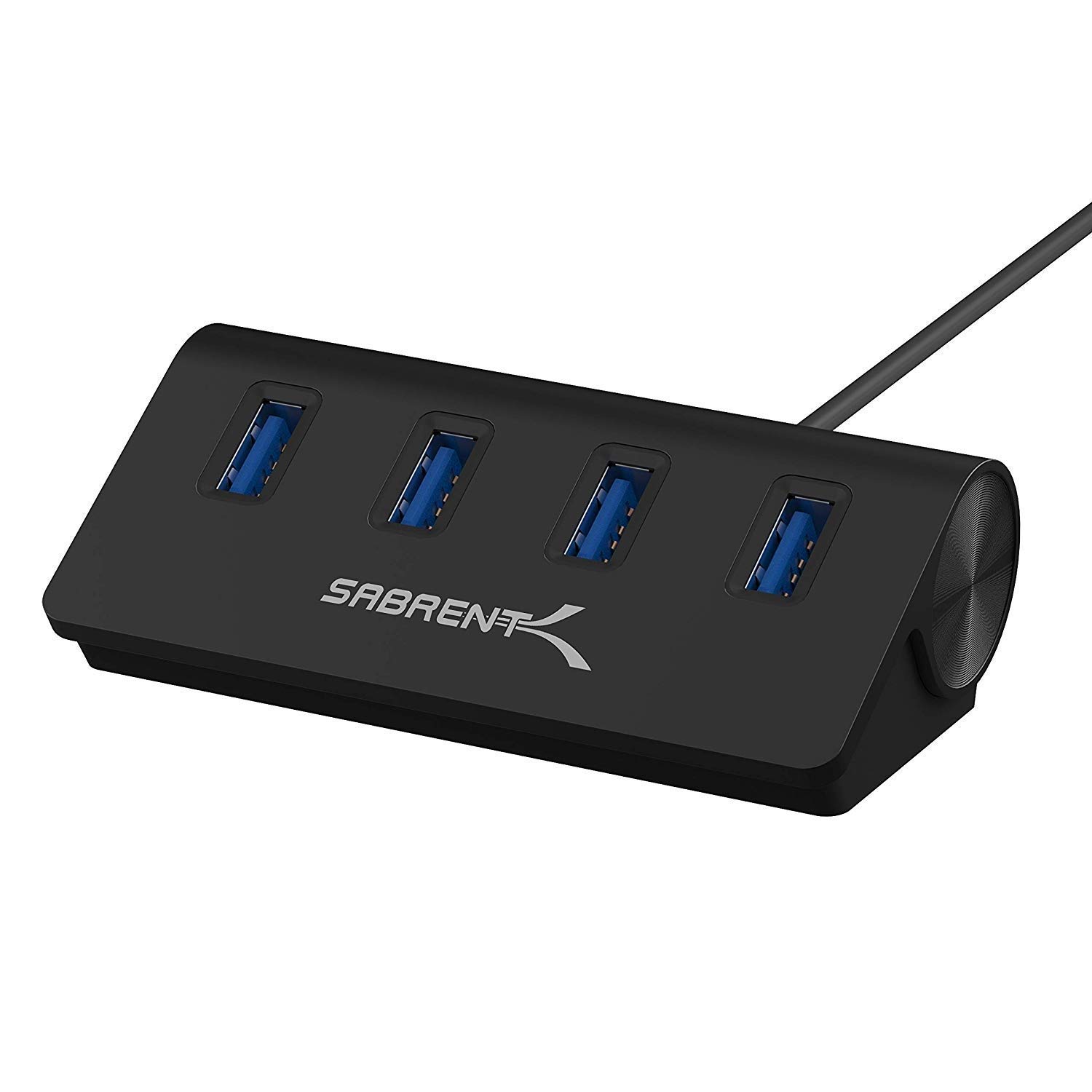
Consider the HB-MC3B if you want four ports with a higher stated transfer ceiling and a longer included cable.
- This four-port model uses USB 3.0, supports transfer rates up to 5 gigabits per second and has a 2.5-foot USB 3.0 cable.
- Its description also lists backward compatibility with USB 2.0 and USB 1.1.
- The reviewed hub offers four USB 2.0 ports, a rotating connector and a compact, lightweight design; its listed transfer rate is up to 480 megabits per second.
Is SABRENT USB Hub Worth It?
The SABRENT 4-Port USB 2.0 Hub is worth considering when the goal is simple, compact expansion for everyday peripherals. Four ports, a rotating connector and plug-and-play use make it an uncomplicated fit for a modest setup.
Its limits are clear: USB 2.0 is not the choice for speed-focused storage work, and charging is unsupported. If those tradeoffs match your needs, this small hub is a practical option; otherwise, prioritize a faster or charging-capable design.
Your review at a glance
16,000+ ratings
Read Amazon ReviewsSABRENT 4-Port USB 2.0 Hub
A compact, rotating four-port hub for buyers who need extra USB 2.0 connections for peripherals and do not need device charging.
- Four USB 2.0 ports add connections to a compatible device.
- The USB connector rotates to 90 or 180 degrees for different port orientations.
- Plug-and-play setup is described as hot-swappable and hot-pluggable.
- Compatibility is listed for Windows, Mac and Linux systems.